|
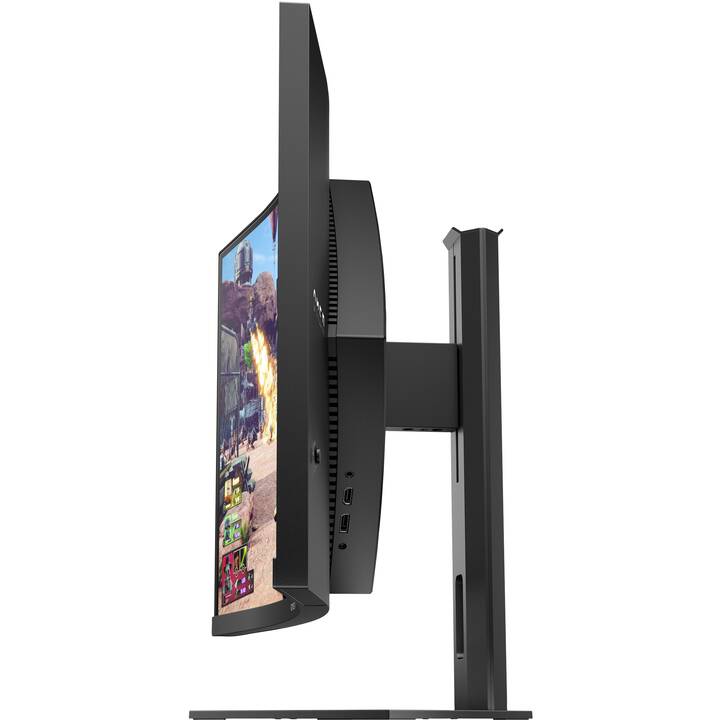
27" HP OMEN 27c |
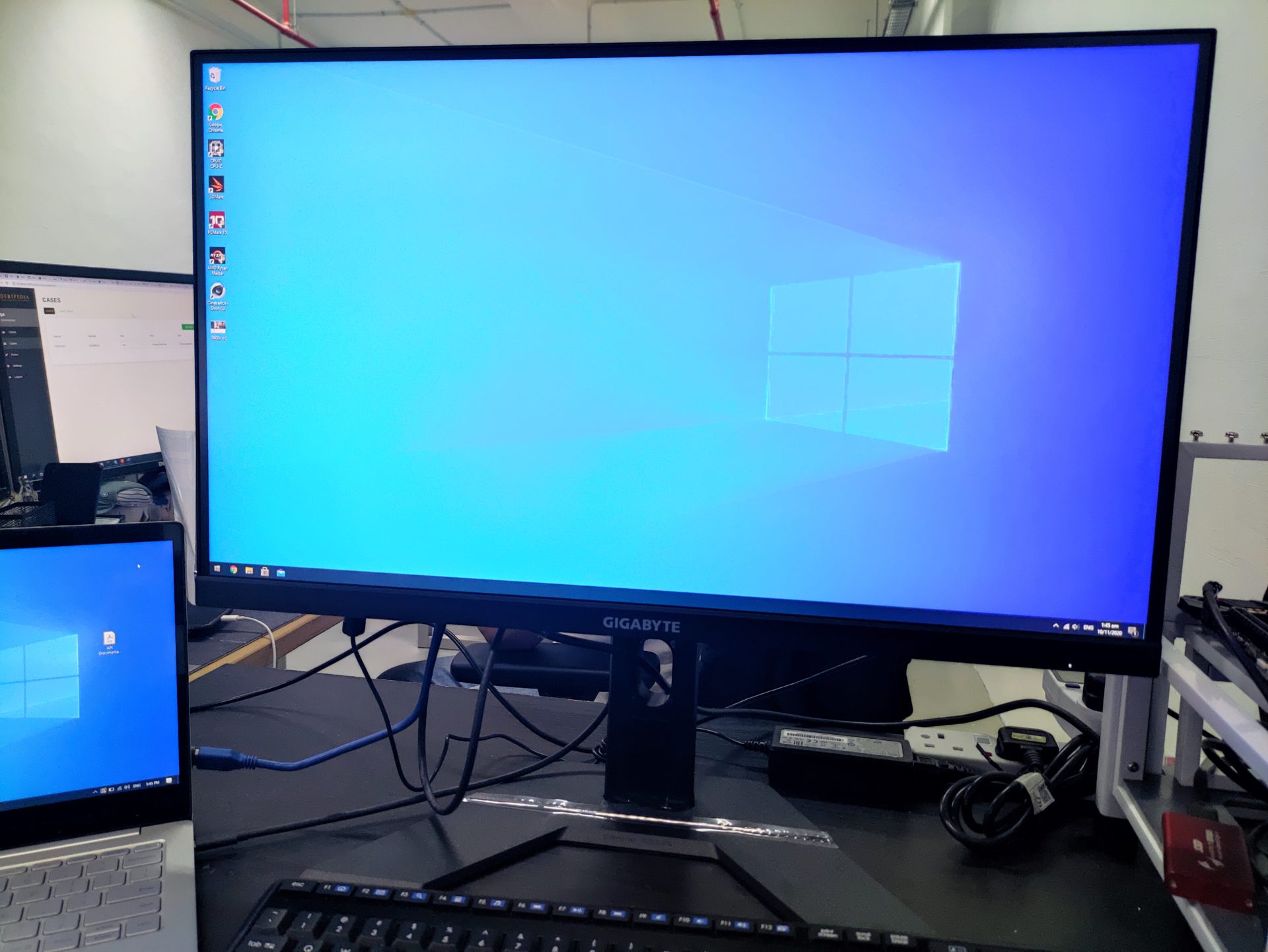
27" Gigabyte M27Q |
Difference |
| Brand |
HP |
Gigabyte |
|
| Year |
2021 |
2020 |
1 (0%) |
| Model |
27c |
M27Q |
|
| Size |
27" |
27" |
0 (0%) |
| Minimum Refresh Rate |
20Hz |
20Hz |
0 (0%) |
| Maximum Refresh Rate |
240Hz |
170Hz |
70 (29%) |
| AMD FreeSync |
Yes |
Yes |
|
| NVIDIA G-Sync |
No |
No |
|
| Maximum Resolution |
2560 x 1440 |
2560 x 1440 |
|
| Panel Type |
VA |
IPS |
|
| Pixel Density |
110 ppi |
109 ppi |
1 (1%) |
| Minimum Response Time |
5.8ms |
4.5ms |
1.3 (22%) |
| Average Response Time |
12ms |
8.1ms |
3.9 (32%) |
| Total Response + Input Lag |
21.5ms |
18.6ms |
2.9 (13%) |
| Maximum Brightness |
252 cd/m^2 |
423 cd/m^2 |
171 (68%) |
| Price |
0.0 |
0.0 |
0 (0%) |
| VESA Mount |
Yes |
Yes |
|
| Native Color Depth |
10 bit |
10 bit |
0 (0%) |
| Static Contrast Ratio |
2402 : 1 |
1184 : 1 |
1218 (51%) |
| Display Port |
Yes |
Yes |
|
| Overall Combination Score |
75.0/100 |
78.8/100 |
3.75 (5%) |
For the average response rate, the Gigabyte M27Q scores 8.1 ms, which is faster than the HP 27c . Gigabyte M27Q has lower total input lag than HP 27c . For the extremely fast frame rates, the HP 27c has better maximum refresh rate of 240 Hz that allows smoother gameplay. HP 27c has a higher contrast ratio of 2402 : 1. The brightness of Gigabyte M27Q is better than HP 27c by 51 %. The HP 27c is newer than Gigabyte M27Q . The minimum response rate of Gigabyte M27Q is 4.5 ms, which is 25 % faster than the HP 27c .
27" HP OMEN 27c
For graphics color quality, the HP 27c has an excellent color depth of 10 -bit, resulting in smoother gradients and more accurate colors. The HP 27c is a relatively new monitor. HP 27c has an excellent contrast ratio of 2402 : 1. For the extremely fast frame rates, the HP 27c has a maximum refresh rate of 240 Hz that allows smoother gameplay. With the AMD FreeSync support, this monitor is compatible with both AMD and NVIDIA graphics cards. The monitor panel has good viewing angles and offers better contrast and colors than TN panels. To compensate for graphically demanding games, the HP 27c has a very good low end adaptive refresh rate of 20 Hz that can adapt to more lower frame rate drops. The HP 27c has the Display Port and this is essential for NVIDIA cards to work with AMD FreeSync. The monitor has a VESA mount. In terms of pixel density, the HP 27c has an excellent density of 110 pixels-per-inch, resulting in sharper text and picture quality. The brightness of HP 27c is lower than other monitors. The minimum response rate of HP 27c is 5.8 ms, which is can cause ghosting effects. HP 27c has a total input lag of 21.5 ms, which is bad among the competition. For the average response rate, the HP 27c scores 12 ms, which can cause motion blurring due to ineffective synchronization with the high refresh rate.
27" Gigabyte M27Q
In terms of pixel density, the Gigabyte M27Q has an excellent density of 109 pixels-per-inch, resulting in sharper text and picture quality. For the extremely fast frame rates, the Gigabyte M27Q has a maximum refresh rate of 170 Hz that allows smoother gameplay. The monitor has a VESA mount. The monitor panel has good viewing angles and offers better contrast and colors than TN panels. The Gigabyte M27Q has the Display Port and this is essential for NVIDIA cards to work with AMD FreeSync. The brightness of Gigabyte M27Q is significantly better than other monitors. To compensate for graphically demanding games, the Gigabyte M27Q has a very good low end adaptive refresh rate of 20 Hz that can adapt to more lower frame rate drops. With the AMD FreeSync support, this monitor is compatible with both AMD and NVIDIA graphics cards. The Gigabyte M27Q is a relatively new monitor. For graphics color quality, the Gigabyte M27Q has an excellent color depth of 10 -bit, resulting in smoother gradients and more accurate colors. For the average response rate, the Gigabyte M27Q scores 8.1 ms, which can cause motion blurring due to ineffective synchronization with the high refresh rate. The monitor has an unimpressive contrast ratio of 1184 : 1. The minimum response rate of Gigabyte M27Q is 4.5 ms, which is can cause ghosting effects. Gigabyte M27Q has a total input lag of 18.6 ms, which is bad among the competition.
What to Consider Before Buying a Graphics Card
If you have been planning to upgrade your system by purchasing a new graphics card. Then there are some important factors to consider.
Resolution VS Quality: Impact on Game Performance
What affects game performance? Clarity or Details?
Ultra VS High Quality Settings in PC Games
Every player has a different notion about the ideal setting for PC games. But in most cases, opting for a High quality graphics configuration is the way to go.
What are CPU or GPU Bottlenecks?
Are you getting sudden frame drops? you might have a bottleneck.
What is the acceptable FPS speed for me?
For some games, you can still enjoy great garphics at lower frame rates.
GPU Hierarchy
GPU Compare
CPU Compare
Gaming Laptops
Gaming Monitors
Gaming Headsets
Discussion and Comments
Share Your Comments