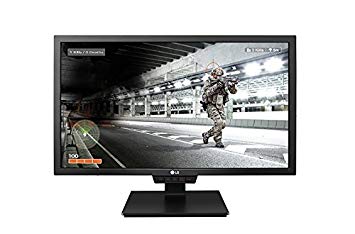
24" LG 24GM79G pelimonitorin suorituskyvyn vertailuarvot
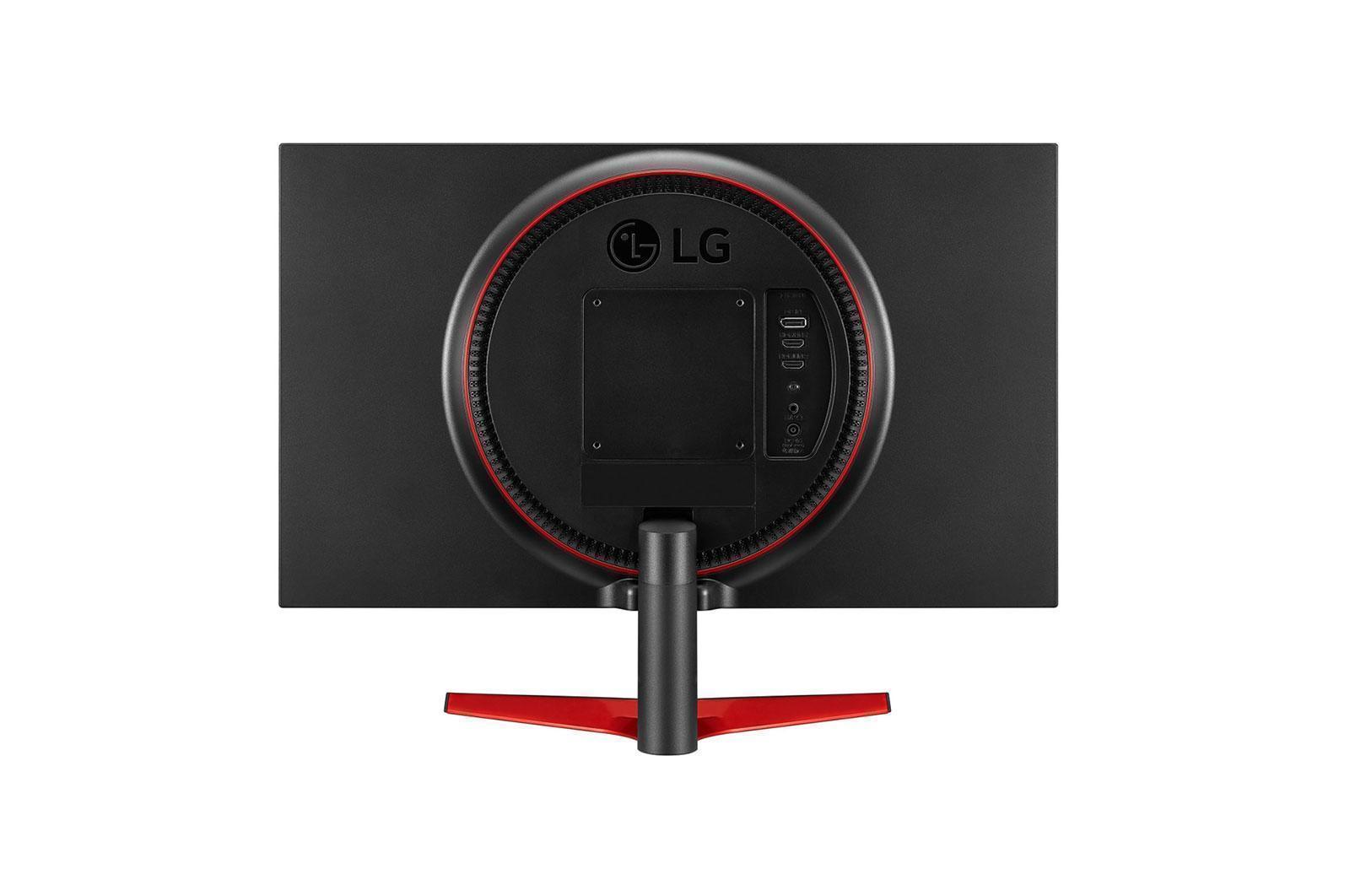
LG 24GM79G minimivaste on 1 ms, joka poistaa haamukuvaukset. Pikselitiheyden kannalta LG 24GM79G on erinomainen tiheys 91 pikseliä tuumaa kohti, mikä johtaa terävämpään tekstin ja kuvan laatuun. LG 24GM79G on suhteellisen uusi näyttö. Näytössä on VESA-teline. LG 24GM79G on näyttöportti ja tämä on välttämätöntä, jotta NVIDIA-kortit toimivat AMD FreeSyncin kanssa. AMD FreeSync -tuen avulla tämä näyttö on yhteensopiva sekä AMD- että NVIDIA-näytönohjainten kanssa. Äärimmäisen nopeaa kehysnopeutta varten LG 24GM79G n virkistystaajuus on 144 Hz, joka mahdollistaa sileämmän pelin. Keskimääräinen vastausprosentti, LG 24GM79G tulokset 5 ms, joka takaa tehokkaan synkronoinnin korkean virkistystaajuuden kanssa. Grafiikkavärinlaadun osalta LG 24GM79G n keskimääräinen värisyvyys on 6 -bitti, jolloin värit ovat kaltevia ja värit ovat hieman pienemmät. Monitorissa käytetään TN-paneelia, joka kärsii värin siirtymisestä vaaka- ja pystysuunnista katsottuna ja jossa on hieman pestyjä värejä verrattuna IPS- ja VA-paneeleihin. LG 24GM79G on kokonaisväli viiveellä 15.5 ms, mikä on huono kilpailussa. Näytön kontrastisuhde on 1000 : 1. Graafisesti vaativat pelit saattavat aiheuttaa kehyksen pudotuksen 56 Hz: n aditiivisen virkistystaajuuden ulkopuolella. LG 24GM79G kirkkaus on pienempi kuin muut näytöt.
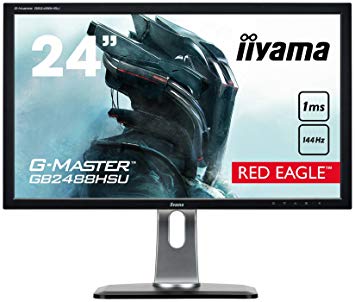
LG 24GM79G vs liyama vs GB2488HSU-B3 vs Samsung C24FG70
Hello
I was looking for a monitor with 144hz refresh rate with good image quality to play media at 120hz with Smooth video project,
Can you tell me which one of these has better image?
LG 24GM79G
liyama GB2488HSU-B3
Samsung C24FG70
thanks
00
K
k11147 years ago
But both are the exact same curve so it makes absolutely no sense. The 2 differences I pointed out are the only differences. It's actually better, like any other curved monitor, if you sit up close for more immersion vs a flat screen. Even if you sit a farther, the curve is too small to cause distortion. So in any case, it's better or doesn't make a difference.
00
R
ross89r8 years ago
Asus VS248HR or LG 24GM79G 24
Hey there! Need a bit of help trying to choose a monitor for a new build I'm doing and I've always got good help from these forums
What I currently have in mind is a cheapish build so far and just need a monitor to finish (well and a graphics card but with prices atm it's either a gtx 1060 3g for about £190 or I'm willing to wait and just use on board graphics.
The cpu I'm going with is an i5 8400, 8gb 2400hz ram, I have an 550w xfx pro psu. I'm not really bothered with an amd or Nvidia card but for obvious reasons in the market getting one for a good price is tricky.
This pc will mainly be used to just play blizzard games (mainly wow) and strategy games (total war etc..)
I'm willing to wait a while for a card but wow is hardly demanding and the new expansion ain't due to September time anyway.
I've heard really good things with the Asus model and I can get it for £116 new, but i have seen the LG (£170) screen and it has the added benefits of 144hz and freesync, if I choose amd card, but on the negative side I've seen quite a few bad user reviews.
Any help in choosing would be great!
Sorry for the long message!
00
E
Eximo8 years ago
GTX 1060 3GB is plenty for WoW and the rest of their line-up, so I wouldn't necessarily hold yourself back. As long as you get it cheap enough for your comfort, anyway. Other options would be a used GTX970 which would be a bit slower but still get you good 1080p performance.
If you are after high refresh rate, that LG is currently the lowest priced 144hz panel out there.
I also see a lot of lukewarm reviews for the LG. Apparently it isn't selling all that well if they have lowered the price this much. The ASUS is an okay panel, but I don't really like the tilt only displays. It is worth the extra investment for an adjustable stand.
Some alternatives that land somewhere in the middle.
75Hz 1080p monitor (not a very good stand, like the ASUS):
lg 24gm79g unable to get 144hz over HDMI.
According to lg the monitor can do 1920x1080/144hz over HDMI or Displayport. I cannot seem to get over 120hz via two different HDMI 2.0 cables. I have tested the displayport and can get 144hz, unfortunately this cable needs to be used with a different monitor; so i require HDMI to work.
Currently running a MSI AMD 390x with latest drivers and have ensured the correct monitor drivers are installed via LG's support website. Have attempted both custom resolutions in Radeon settings and windows settings but cannot get over 120hz.
Any insights?
Thanks!
00
G
Glenwing8 years ago
According to the manual, the HDMI section only seems to list support up to 1080p 120 Hz. I know the section above that lists up to 144 Hz and is labeled "HDMI/DisplayPort", but I think that might be a mistake and only applies to DisplayPort.
00
C
cnyk8 years ago
Benq Zowie XL2411P vs LG 24GM79G-B
Hello im looking to buy a 144hz 24" monitor. Ive read good reviews about the LG. I cant seem to find any info on this specific benq though. In my country both monitors are the same price. Can i get some information about those two monitors and if possible which one is the better choice.
00
C
CeramicTilePudding698 years ago
Freesync does not cause input lag.
https://youtu.be/mVNRNOcLUuA
00
H
hardiangame28 years ago
LG 24GM79G-B Not Reaching 144hz
Hello everyone,
So I've installed my new 24GM79G-B monitor using the provided DP-DP cable, but my computer still won't let me choose 1920x1080 @ 144hz as an input. It keeps limiting me to 60hz (i tried to 75hz and it success,but still cannot reach 144hz).
Does anybody know how to fix this? Thank you.
btw i am using win 10 and gtx1070 for the vga
00
M
Mark RM8 years ago
It's very possible either the input connector on the card or the monitor is faulty. I highly doubt this is a software issue.
Test the monitor on another computer with DP, if stable, suspect the card and try a different monitor on the card with DP to confirm.
I understand you may not have access to all this stuff, but really it's the only way to be sure.


























Mitä harkita ennen grafiikkakortin ostamista
Jos olet suunnitellut päivittää järjestelmääsi ostamalla uuden näytönohjaimen. Sitten on joitakin tärkeitä tekijöitä.
Resoluutio VS Quality: Vaikutus pelin suorituskykyyn
Mikä vaikuttaa pelin suorituskykyyn? Selkeys tai tiedot?
Ultra VS: n korkealaatuiset asetukset PC-peleissä
Jokaisella pelaajalla on erilainen käsitys PC-pelien ihanteellisesta asetuksesta. Useimmissa tapauksissa korkealaatuisen grafiikkakokoonpanon valitseminen on tapa edetä.
Mitä ovat CPU- tai GPU-pullonkaulat?
Oletko tulossa äkillinen runko putoaa? sinulla voi olla pullonkaula.
Mikä on hyväksyttävä FPS-nopeus minulle?
Joissakin peleissä voit silti nauttia suurista garphicsista alhaisemmilla kuvataajuuksilla.
GPU Hierarchy
GPU Compare
CPU Compare
Gaming Laptops
Gaming Monitors
Gaming Headsets
Keskustelu ja kommentit
Jaa kommenttisi
Hello
I was looking for a monitor with 144hz refresh rate with good image quality to play media at 120hz with Smooth video project,
Can you tell me which one of these has better image?
LG 24GM79G
liyama GB2488HSU-B3
Samsung C24FG70
thanks
But both are the exact same curve so it makes absolutely no sense. The 2 differences I pointed out are the only differences. It's actually better, like any other curved monitor, if you sit up close for more immersion vs a flat screen. Even if you sit a farther, the curve is too small to cause distortion. So in any case, it's better or doesn't make a difference.
Hey there! Need a bit of help trying to choose a monitor for a new build I'm doing and I've always got good help from these forums
What I currently have in mind is a cheapish build so far and just need a monitor to finish (well and a graphics card but with prices atm it's either a gtx 1060 3g for about £190 or I'm willing to wait and just use on board graphics.
The cpu I'm going with is an i5 8400, 8gb 2400hz ram, I have an 550w xfx pro psu. I'm not really bothered with an amd or Nvidia card but for obvious reasons in the market getting one for a good price is tricky.
This pc will mainly be used to just play blizzard games (mainly wow) and strategy games (total war etc..)
I'm willing to wait a while for a card but wow is hardly demanding and the new expansion ain't due to September time anyway.
I've heard really good things with the Asus model and I can get it for £116 new, but i have seen the LG (£170) screen and it has the added benefits of 144hz and freesync, if I choose amd card, but on the negative side I've seen quite a few bad user reviews.
Any help in choosing would be great!
Sorry for the long message!
GTX 1060 3GB is plenty for WoW and the rest of their line-up, so I wouldn't necessarily hold yourself back. As long as you get it cheap enough for your comfort, anyway. Other options would be a used GTX970 which would be a bit slower but still get you good 1080p performance.
If you are after high refresh rate, that LG is currently the lowest priced 144hz panel out there.
I also see a lot of lukewarm reviews for the LG. Apparently it isn't selling all that well if they have lowered the price this much. The ASUS is an okay panel, but I don't really like the tilt only displays. It is worth the extra investment for an adjustable stand.
Some alternatives that land somewhere in the middle.
75Hz 1080p monitor (not a very good stand, like the ASUS):
https://uk.pcpartpicker.com/product/sh38TW/aoc-g2460vq6-240-60hz-monitor-g2460vq6
75Hz, higher price, but a good stand
https://uk.pcpartpicker.com/product/CMCrxr/asus-vg245h-240-75hz-monitor-vg245h
According to lg the monitor can do 1920x1080/144hz over HDMI or Displayport. I cannot seem to get over 120hz via two different HDMI 2.0 cables. I have tested the displayport and can get 144hz, unfortunately this cable needs to be used with a different monitor; so i require HDMI to work.
Currently running a MSI AMD 390x with latest drivers and have ensured the correct monitor drivers are installed via LG's support website. Have attempted both custom resolutions in Radeon settings and windows settings but cannot get over 120hz.
Any insights?
Thanks!
According to the manual, the HDMI section only seems to list support up to 1080p 120 Hz. I know the section above that lists up to 144 Hz and is labeled "HDMI/DisplayPort", but I think that might be a mistake and only applies to DisplayPort.
Hello im looking to buy a 144hz 24" monitor. Ive read good reviews about the LG. I cant seem to find any info on this specific benq though. In my country both monitors are the same price. Can i get some information about those two monitors and if possible which one is the better choice.
Freesync does not cause input lag.
https://youtu.be/mVNRNOcLUuA
Hello everyone,
So I've installed my new 24GM79G-B monitor using the provided DP-DP cable, but my computer still won't let me choose 1920x1080 @ 144hz as an input. It keeps limiting me to 60hz (i tried to 75hz and it success,but still cannot reach 144hz).
Does anybody know how to fix this? Thank you.
btw i am using win 10 and gtx1070 for the vga
It's very possible either the input connector on the card or the monitor is faulty. I highly doubt this is a software issue.
Test the monitor on another computer with DP, if stable, suspect the card and try a different monitor on the card with DP to confirm.
I understand you may not have access to all this stuff, but really it's the only way to be sure.