Összehasonlítani a
Select..
23.6" AOC C24G1 - Ft 53,820 23.8" AOC 24V2H - Ft 70,817 23.8" AOC 24V2Q - Ft 35,407 23.8" AOC AGON AG241QG - Ft 46,410 23.8" AOC AGON AG241QX - Ft 93,480 24" AOC 24G2 - Ft 72,506 24" AOC G2460PF - Ft 56,653 24" AOC G2460PG - Ft 46,410 24" AOC G2460PG-2 - Ft 46,410 24" AOC G2460VQ6 - Ft 42,489 24.5" AOC AGON AG251FG - Ft 184,129 24.5" AOC AGON AG251FZ - Ft 184,129 24.5" AOC G2590FX - Ft 56,653 24.5" AOC G2590PX - Ft 35,407 24.5" AOC G2590PX/G2 - Ft 64,871 24.5" AOC G2590VXQ - Ft 63,511 27" AOC 27V2H - Ft 43,566 27" AOC 27V2Q - Ft 37,356 27" AOC AGON AG271QG - Ft 96,315 27" AOC AGON AG272FCX - Ft 282,713 27" AOC AGON AG272FCX6 - Ft 282,713 27" AOC AGON AG273QCG - Ft 282,713 27" AOC AGON AG273QCX - Ft 141,637 27" AOC C2789FH8 - Ft 84,684 27" AOC C27G1 - Ft 73,086 27" AOC CQ27G1 - Ft 73,650 27" AOC CQ27G2 - Ft 73,650 27" AOC G2770PF - Ft 85,834 27" AOC G2778VQ - Ft 37,356 27" AOC G2790PX - Ft 117,646 28" AOC G2868PQU - Ft 67,984 28" AOC U2879VF - Ft 119,034 31.5" AOC AGON AG322FCX - Ft 31,158 31.5" AOC AGON AG322QC4 - Ft 155,801 31.5" AOC AGON AG322QCX - Ft 127,411 31.5" AOC C32G1 - Ft 70,820 31.5" AOC CQ32G1 - Ft 151,552 31.5" AOC Q3279VWF - Ft 65,152 31.5" AOC Q3279VWFD8 - Ft 65,152 32" AOC CQ32G1 - Ft 113,309 34" AOC CU34G2X - Ft 113,309 35" AOC AGON AG352QCX - Ft 113,309 35" AOC AGON AG352UCG - Ft 226,559 35" AOC AGON AG352UCG6 - Ft 209,627 35" AOC C3583FQ - Ft 165,226 23.6" AOpen 24HC1QR P - Ft 36,260 23.6" AOpen 24HX2Q P - Ft 49,560 23.8" AOpen 24ML1Y - Ft 49,560 23.8" AOpen 24ML2Y - Ft 84,981 24" AOpen 24MX1 - Ft 33,991 27" AOpen 27HC1R P - Ft 62,319 27" AOpen 27ML1 - Ft 67,135 27" AOpen 27ML1U - Ft 67,135 27" AOpen 27ML2 - Ft 57,492 27" AOpen 27MX1 - Ft 57,492 27" AOpen 27MX1U - Ft 57,492 31.5" AOpen 32HC1QUR P - Ft 101,698 14" ASUS ProArt PA148CTV - Ft 113,029 14" ASUS ZenScreen MB14AC - Ft 56,653 15" ASUS ZenScreen Go MB16AHP - Ft 84,701 15" ASUS ZenScreen Touch MB16AMT - Ft 104,811 16" ASUS ROG Strix XG16AHPE - Ft 98,865 17" ASUS ROG Strix XG17AHPE - Ft 132,858 24" ASUS TUF Gaming VG249Q1A - Ft 47,874 24" ASUS VG245H - Ft 93,477 24" ASUS VG246H - Ft 36,257 24" ASUS VG248QE - Ft 64,698 24" ASUS VG248QG - Ft 53,407 25" ASUS ROG Swift 360Hz PG259QN - Ft 112,873 25" ASUS TUF Gaming VG258QM - Ft 87,109 25" ASUS TUF Gaming VG259QM - Ft 101,698 27" ASUS TUF VG27VQ - Ft 112,745 27" ASUS MX279HS - Ft 64,871 27" ASUS ProArt Display PA278CV - Ft 124,924 27" ASUS ProArt Display PA278QV - Ft 81,868 27" ASUS ROG Strix XG279Q - Ft 201,126 27" ASUS ROG Strix XG27AQ - Ft 127,700 27" ASUS ROG Strix XG27UQ - Ft 189,228 27" ASUS ROG Swift PG279Q - Ft 201,126 27" ASUS ROG Swift PG279QM - Ft 226,341 27" ASUS ROG Swift PG279QZ - Ft 282,997 27" ASUS TUF Gaming VG27AQL1A - Ft 119,553 27" ASUS TUF Gaming VG27WQ1B - Ft 97,732 27" ASUS TUF VG27AQ - Ft 112,745 27" ASUS VG279Q - Ft 73,367 27" ASUS VG279QM - Ft 96,737 32" ASUS TUF VG32VQ - Ft 130,518 34" ASUS TUF Gaming VG34VQL1B - Ft 130,003 42" ASUS ROG Swift OLED PG42UQ - Ft 461,033 23" Acer SA230Аbi - Ft 31,158 23.6" Acer ED242Q - Ft 50,962 23.6" Acer ED242QR - Ft 50,962 23.6" Acer ED242QRbi - Ft 31,158 23.6" Acer KG241Q - Ft 39,373 23.6" Acer KG241QA - Ft 36,824 23.8" Acer B247Y - Ft 40,234 23.8" Acer B247Y bmiprx - Ft 41,073 23.8" Acer HA240Y - Ft 36,824 23.8" Acer Nitro VG240 - Ft 45,322 23.8" Acer Nitro VG240Y - Ft 45,322 23.8" Acer Nitro VG240YU - Ft 36,824 23.8" Acer Predator XB1 XB241YU - Ft 79,316 23.8" Acer RG240 - Ft 36,824 23.8" Acer SA240YA - Ft 36,824 23.8" Acer V247Y bmipx - Ft 37,651 23.8" Acer V247Ybi - Ft 36,824 23.8" Acer V247Ybip - Ft 36,824 23.8" Acer XF240YU - Ft 93,480 24" Acer B247W - Ft 58,146 24" Acer GF246 - Ft 36,824 24" Acer Nitro RG241Y Pbiipx - Ft 44,331 24" Acer Nitro XF243Y Pbmiiprx - Ft 51,738 24" Acer Predator XB1 XB241H - Ft 141,637 24" Acer XB240HA - Ft 31,158 24" Acer XF240H - Ft 63,735 24.5" Acer KG251Q - Ft 36,824 24.5" Acer KG251QD - Ft 55,520 24.5" Acer KG251QF - Ft 55,520 24.5" Acer KG251QG - Ft 55,520 24.5" Acer KG251QH - Ft 55,520 24.5" Acer KG251QI - Ft 55,520 24.5" Acer KG251Qbiix - Ft 55,520 24.5" Acer Predator XB2 XB252Q - Ft 140,221 24.5" Acer XF250Q - Ft 70,537 24.5" Acer XF250QA - Ft 36,824 24.5" Acer XF250QB - Ft 36,824 24.5" Acer XF250QD - Ft 36,824 24.5" Acer XF251Q - Ft 36,824 24.5" Acer XF252QX - Ft 36,824 25" Acer Nitro XF252Q Xbmiiprzx - Ft 115,437 25" Acer Nitro XV252Q Fbmiiprx - Ft 77,052 25" Acer Predator X25 bmiiprzx - Ft 113,592 27" Acer B277 - Ft 86,400 27" Acer B277 bmiprczx - Ft 55,645 27" Acer B277 bmiprx - Ft 51,427 27" Acer B277U - Ft 76,293 27" Acer B277Ubmiipprczx - Ft 70,820 27" Acer ED273 Awidpx - Ft 56,653 27" Acer ED273UR - Ft 77,052 27" Acer GF276 - Ft 33,991 27" Acer GF276A - Ft 42,489 27" Acer HA270 - Ft 42,489 27" Acer KG271 - Ft 72,270 27" Acer KG271A - Ft 73,370 27" Acer KG271B - Ft 33,991 27" Acer KG271D - Ft 33,991 27" Acer KG271E - Ft 33,991 27" Acer KG271F - Ft 42,489 27" Acer KG271U - Ft 65,152 27" Acer KG271U Abmiipx - Ft 73,083 27" Acer Nitro VG270 - Ft 69,970 27" Acer Nitro VG270U - Ft 69,970 27" Acer Nitro VG270UP - Ft 69,970 27" Acer Nitro VG271 Pbmiipx - Ft 94,332 27" Acer Nitro VG271UP Pbmiipx - Ft 36,824 27" Acer Nitro XF272U - Ft 70,817 27" Acer Nitro XV272U - Ft 70,817 27" Acer Nitro XV272U KVbmiiprzx - Ft 70,817 27" Acer Nitro XV273 Xbmiiprzx - Ft 70,817 27" Acer Nitro XV3 XV273K - Ft 226,341 27" Acer PE270K - Ft 90,647 27" Acer Predator Z1 Z271U - Ft 79,316 27" Acer Predator X27 - Ft 467,129 27" Acer Predator X27 bmiphzx - Ft 482,706 27" Acer Predator XB1 XB271H - Ft 133,708 27" Acer Predator XB1 XB271HU - Ft 155,521 27" Acer Predator XB1 XB271HUA - Ft 79,316 27" Acer Predator XB1 XB271HUT - Ft 79,316 27" Acer Predator XB270H - Ft 117,830 27" Acer Predator XB271HU Bmiprz - Ft 79,316 27" Acer Predator XB273K - Ft 282,997 27" Acer Predator XB273K Pbmiphzx - Ft 339,936 27" Acer Predator XB273U GXbmiipruzx - Ft 118,694 27" Acer Predator Z1 Z271 - Ft 79,316 27" Acer Predator Z1 Z271T - Ft 98,865 27" Acer Predator Z271UV - Ft 117,830 27" Acer RG270 - Ft 47,025 27" Acer RG270 bmipx - Ft 56,653 27" Acer V277 - Ft 42,489 27" Acer V277bi - Ft 33,991 27" Acer V277bip - Ft 65,067 27" Acer VG271P - Ft 33,991 27" Acer VG271UP - Ft 106,799 27" Acer XB270HA - Ft 33,991 27" Acer XB270HU - Ft 150,136 27" Acer XB270HUD - Ft 112,745 27" Acer XF270HA - Ft 82,151 27" Acer XF270HB - Ft 33,991 27" Acer XF270HBbmiiprx - Ft 70,817 27" Acer XF270HC - Ft 33,991 27" Acer XF270HU - Ft 70,817 27" Acer XF270HUA - Ft 98,862 27" Acer XG270HU - Ft 106,542 27" Acer XN253QP - Ft 127,473 27" Acer XN253QX - Ft 33,991 27" Acer XZ271 - Ft 33,991 27" Acer XZ271U - Ft 138,524 28" Acer Nitro XV282K KVbmiipruzx - Ft 183,835 28" Acer RT280K - Ft 31,158 28" Acer XB280HK - Ft 112,745 29" Acer XF290CB - Ft 31,158 30" Acer Predator Z301CT - Ft 42,489 31.5" Acer ED323QUR Abidpx - Ft 99,145 31.5" Acer ED323QUR widpx - Ft 31,158 31.5" Acer ET322QK - Ft 113,309 31.5" Acer ET322QK Abmiipx - Ft 84,981 31.5" Acer ET322QK Bbmiiprx - Ft 113,309 31.5" Acer ET322QU - Ft 99,145 31.5" Acer ET322QUAbmiprx - Ft 64,832 31.5" Acer Predator XZ1 XZ321QU - Ft 138,524 31.5" Acer Predator Z1 Z321Q - Ft 31,158 31.5" Acer Predator Z1 Z321QU - Ft 169,685 31.5" Acer XZ321Q - Ft 138,524 34" Acer BX340C - Ft 36,824 34" Acer BX340CK - Ft 36,824 34" Acer ED347CKR - Ft 36,821 34" Acer Nitro XV340CK Pbmiipphzx - Ft 116,709 34" Acer Predator X34 - Ft 365,431 34" Acer Predator X34P - Ft 232,290 34" Acer XR341CK - Ft 29,744 34" Acer XR342CK - Ft 260,394 34" Acer XR342CKP - Ft 81,865 35" Acer CZ350CK - Ft 29,744 35" Acer Predator Z35 - Ft 212,457 35" Acer Predator Z35P - Ft 212,457 35" Acer XZ350CUbmijphz - Ft 36,824 37.5" Acer XR382CQK - Ft 246,360 49" Acer EI491CR - Ft 223,494 27" Apple Studio Display - Ft 410,473 23.6" Asus VP247QG - Ft 38,240 23.8" Asus XG248Q - Ft 98,865 24" Asus MG248QE - Ft 109,346 24" Asus MG248QR - Ft 72,506 24" Asus PG248Q - Ft 99,145 24" Asus VG245H - Ft 50,988 24" Asus VG245HE - Ft 50,988 24" Asus VG245Q - Ft 79,508 24" Asus VG248QG - Ft 70,817 24" Asus VP248H - Ft 64,871 24" Asus VP248HL - Ft 64,871 24" Asus VP248QG - Ft 42,489 24" Asus VP248QGL - Ft 42,489 24" Asus VP248QGL-P - Ft 64,871 24.5" Asus RoG Strix XG258Q - Ft 113,309 24.5" Asus RoG Swift PG258Q - Ft 135,972 24.5" Asus VG255H - Ft 42,492 24.5" Asus VG258Q - Ft 79,035 24.5" Asus VG258QR - Ft 59,486 27" Asus MG278Q - Ft 113,309 27" Asus MG279Q - Ft 113,309 27" Asus MX27UQ - Ft 79,316 27" Asus PB27UQ - Ft 39,656 27" Asus RoG Strix XG27VQ - Ft 93,199 27" Asus RoG Swift PG278Q - Ft 152,968 27" Asus RoG Swift PG278QE - Ft 198,013 27" Asus RoG Swift PG278QR - Ft 152,968 27" Asus RoG Swift PG279Q - Ft 156,410 27" Asus RoG Swift PG27UQ - Ft 509,621 27" Asus RoG Swift PG27VQ - Ft 198,293 27" Asus TUF Gaming VG27AQE - Ft 112,745 27" Asus VG275Q - Ft 73,650 27" Asus VG278Q - Ft 81,585 27" Asus VG278QF - Ft 97,732 27" Asus VG278QR - Ft 107,646 27" Asus VG279Q - Ft 95,015 27" Asus VL278H - Ft 64,871 27" Asus VL278HE - Ft 64,871 27" Asus VP278QG - Ft 59,486 27" Asus VP278QGL - Ft 59,486 27" Asus VP279QG - Ft 64,871 27" Asus VP279QGL - Ft 39,656 31.5" Asus MX32VQ - Ft 116,706 31.5" Asus RoG Strix XG32VQ - Ft 155,521 31.5" Asus RoG Strix XG32VQR - Ft 155,521 34" Asus MX34VQ - Ft 36,824 34" Asus ProArt PA34V - Ft 298,393 34" Asus ProArt PA34VC - Ft 298,393 34" Asus RoG Swift PG348Q - Ft 212,457 34" Asus RoG Swift PG349Q - Ft 282,997 35" Asus RoG Strix XG35VQ - Ft 36,824 35" Asus RoG Swift PG35VQ - Ft 36,824 37.5" Asus MX38VC - Ft 346,644 49" Asus VG49V - Ft 254,669 49" Asus XG49VQ - Ft 254,669 24" BenQ XL2420G - Ft 33,991 24" BenQ ZOWIE XL2411P - Ft 99,145 25" BenQ ZOWIE XL2540 - Ft 67,704 25" BenQ ZOWIE XL2546K - Ft 121,527 25" BenQ ZOWIE XL2566K - Ft 210,891 27" BenQ EX2780Q - Ft 141,345 27" BenQ PD2700U - Ft 152,968 27" BenQ XL2720G - Ft 42,489 27" BenQ XL2730Z - Ft 42,489 27" BenQ ZOWIE XL2735 - Ft 56,373 28" BenQ EL2870U - Ft 99,140 31.5" BenQ EW3270U - Ft 136,938 31.5" BenQ EX3203R - Ft 169,685 32" BenQ EW3270U - Ft 113,309 35" BenQ EX3501R - Ft 212,177 27" Cooler Master Tempest GP27U - Ft 298,266 32" Corsair XENEON 32QHD165 - Ft 269,113 14" Dell C1422H - Ft 76,483 22" Dell E2220H - Ft 36,563 23.8" Dell InfinityEdge S2418HN - Ft 45,036 23.8" Dell InfinityEdge S2418HX - Ft 35,404 23.8" Dell S2417DG - Ft 104,811 24" Dell S2417DG - Ft 99,145 24" Dell S2419HGF - Ft 48,143 24" Dell S2419HGF - Ft 106,267 24" Dell S2421H - Ft 42,489 24.5" Dell Alienware AW2518H - Ft 93,531 24.5" Dell Alienware AW2518HF - Ft 93,531 25" Dell Alienware AW2521H - Ft 133,991 25" Dell Alienware AW2521HF - Ft 118,694 25" Dell Alienware AW2523HF - Ft 84,981 25" Dell U2518D - Ft 155,801 25" Dell UltraSharp U2520D - Ft 103,409 27" Dell Alienware AW2720HF - Ft 198,293 27" Dell Alienware AW2721D - Ft 312,721 27" Dell Alienware AW2723DF - Ft 184,129 27" Dell D2719HGF - Ft 50,988 27" Dell G2722HS - Ft 55,240 27" Dell S2716DG - Ft 126,652 27" Dell S2716DG - Ft 184,129 27" Dell S2718H - Ft 68,421 27" Dell S2718HN - Ft 149,569 27" Dell S2718HX - Ft 149,569 27" Dell S2718NX - Ft 149,569 27" Dell S2719DGF - Ft 84,981 27" Dell S2719DGF - Ft 106,794 27" Dell S2721D - Ft 80,933 27" Dell S2721DGF - Ft 124,360 27" Dell S2721HGF - Ft 81,007 27" Dell S2721QS - Ft 70,817 27" Dell S2722DGM - Ft 84,981 27" Dell S2722QC - Ft 113,309 27" Dell SE2717H - Ft 47,591 27" Dell U2718Q - Ft 189,514 27" Dell U2723QE - Ft 146,739 27" Dell UltraSharp U2720Q - Ft 149,569 27" Dell UltraSharp U2721DE - Ft 96,312 27" Dell UltraThin S2719DM - Ft 70,817 32" Dell G3223Q - Ft 254,669 32" Dell P3223DE - Ft 141,357 32" Dell S3219D - Ft 83,284 32" Dell S3220DGF - Ft 141,357 32" Dell S3221QS - Ft 101,978 32" Dell S3222DGM - Ft 127,476 32" Dell U3219Q - Ft 264,867 32" Dell U3223QE - Ft 235,120 34" Dell Alienware AW3418DW - Ft 821,229 34" Dell Alienware AW3420DW - Ft 202,545 34" Dell Alienware AW3423DW - Ft 337,381 34" Dell Alienware AW3423DWF - Ft 337,381 34" Dell S3422DWG - Ft 113,309 34.13" Dell Alienware AW3418HW - Ft 113,309 34.14" Dell Alienware AW3418DW - Ft 240,505 38" Dell Alienware AW3821DW - Ft 312,721 38" Dell U3818DW - Ft 396,589 40" Dell UltraSharp U4021QW - Ft 538,229 27" EIZO Foris FS2735 - Ft 84,981 27" Gamemax GMX27C144 - Ft 44,900 31.5" Gamemax GMX32CEWQ - Ft 31,155 24.5" Gigabyte AORUS KD25F - Ft 127,473 27" Gigabyte AORUS AD27QD - Ft 164,846 27" Gigabyte AORUS CV27F - Ft 164,846 27" Gigabyte AORUS FI27Q - Ft 164,846 27" Gigabyte AORUS FI27Q-X - Ft 164,846 27" Gigabyte Aorus AD27QD - Ft 169,965 27" Gigabyte G27Q - Ft 113,309 27" Gigabyte G27QC - Ft 79,316 27" Gigabyte M27Q - Ft 84,981 27" Gigabyte M27Q X - Ft 121,808 28" Gigabyte M28U - Ft 141,637 32" Gigabyte AORUS FI32U - Ft 212,457 32" Gigabyte G32QC - Ft 84,981 32" Gigabyte M32Q - Ft 141,637 32" Gigabyte M32U - Ft 185,262 32" Gigabyte M32UC - Ft 178,464 34" Gigabyte G34WQC - Ft 107,644 34" Gigabyte M34WQ - Ft 118,975 43" Gigabyte AORUS FV43U - Ft 198,293 48" Gigabyte AORUS FO48U OLED - Ft 311,605 23" HP 23f - Ft 63,698 23.8" HP 24f - Ft 78,378 23.8" HP 24fh - Ft 44,900 23.8" HP 24fw - Ft 50,988 23.8" HP 24fwа - Ft 35,047 24" HP X24ih - Ft 50,988 24.5" HP 25mx - Ft 69,120 24.5" HP 25x - Ft 127,473 24.5" HP Omen 25 - Ft 61,755 25" HP 25f - Ft 39,656 27" HP 27F - Ft 52,662 27" HP 27f - Ft 50,988 27" HP 27fh - Ft 282,997 27" HP 27fw - Ft 90,647 27" HP 27mx - Ft 44,900 27" HP 27q - Ft 169,965 27" HP 27x - Ft 84,701 27" HP 27xq - Ft 113,312 27" HP OMEN 27c - Ft 109,060 27" HP OMEN 27i - Ft 125,213 27" HP OMEN X 27 - Ft 274,643 27" HP Omen 27 - Ft 169,965 27" HP X27q - Ft 59,486 32" HP Omen 32 - Ft 107,363 32" HP Pavilion 32 QHD - Ft 809,898 32" HP Pavilion 32 QHD - Ft 809,898 32" HP Pavilion 32 QHD - Ft 809,898 32" HP Pavilion 32 QHD - Ft 809,898 32" HP Pavilion 32 QHD - Ft 809,898 32" HP Pavilion 32 QHD - Ft 809,898 32" HP Pavilion 32 QHD - Ft 809,898 32" HP Pavilion 32 QHD - Ft 809,898 32" HP Pavilion Gaming 32 HDR - Ft 88,208 34" HP Envy 34 - Ft 934,541 35.03" HP Omen X 35 - Ft 214,157 24" Hanns.G HG244PJB - Ft 48,129 31.5" Hanns.G HG324QJB - Ft 39,656 24" Iiyama G-Master GB2488HSU-B2 - Ft 73,760 24" Iiyama G-Master GB2488HSU-B3 - Ft 33,991 24" Iiyama G-Master GE2488HS-B2 - Ft 29,274 24.5" Iiyama G-Master G2530HSU-B1 - Ft 33,991 24.5" Iiyama G-Master GB2530HSU-B1 - Ft 535,399 24.5" Iiyama G-Master GB2560HSU-B1 - Ft 33,991 24.5" Iiyama ProLite E2591HSU-B1 - Ft 60,619 24.95" Iiyama ProLite XU2595WSU-B1 - Ft 98,295 24.95" Iiyama ProLite XUB2595WSU-B1 - Ft 108,496 27" Iiyama G-Master G2730HSU-B1 - Ft 57,492 27" Iiyama G-Master GB2730HSU-B1 - Ft 67,956 27" Iiyama G-Master GB2730QSU-B1 - Ft 86,117 27" Iiyama G-Master GB2760HSU-B1 - Ft 96,315 27" Iiyama G-Master GB2760QSU-B1 - Ft 57,492 27" Iiyama G-Master GB2783QSU - Ft 64,871 27" Iiyama G-Master GB2788HS-B1 - Ft 33,991 27" Iiyama G-Master GB2788HS-B2 - Ft 33,991 27" Iiyama ProLite B2783QSU - Ft 91,242 27" Iiyama ProLite B2791HSU - Ft 57,492 27" Iiyama ProLite E2783QSU - Ft 84,981 27" Iiyama ProLite X2788QS-B1 - Ft 535,399 27" Iiyama ProLite XB2788QS-B1 - Ft 535,399 27" Iiyama ProLite XUB2792QSU - Ft 91,242 28" Iiyama G-Master GB2888UHSU - Ft 33,991 28" Iiyama ProLite B2875UHSU-B1 - Ft 98,295 31.5" Iiyama G-Master G3266HS-B1 - Ft 31,158 23.6" LG 24GL600F - Ft 49,574 23.8" LG 24MK400H - Ft 33,991 23.8" LG 24MK430H - Ft 39,656 23.8" LG 24MK600M - Ft 47,008 23.8" LG 24MP59G - Ft 38,665 23.8" LG 24MP68VQ - Ft 52,455 24" LG 24GL600F - Ft 45,322 24" LG 24GM79G - Ft 70,650 27" LG 27GK750F - Ft 96,528 27" LG 27GL650F-B - Ft 81,868 27" LG 27GL83A-B - Ft 84,981 27" LG 27GL850-B - Ft 121,799 27" LG 27GN650-B - Ft 74,001 27" LG 27GN750-B - Ft 121,386 27" LG 27GN800-B - Ft 84,131 27" LG 27GN850-B - Ft 121,799 27" LG 27GN880-B - Ft 175,557 27" LG 27GN950-B - Ft 192,877 27" LG 27GP83B-B - Ft 121,799 27" LG 27GP850-B - Ft 121,799 27" LG 27GP950-B - Ft 226,621 27" LG 27MK400H - Ft 42,489 27" LG 27MK430H - Ft 39,342 27" LG 27MK600M - Ft 47,874 27" LG 27MK60TM - Ft 41,639 27" LG 27MN60T-W - Ft 31,158 27" LG 27MP59G - Ft 70,537 27" LG 27MP89HM - Ft 31,158 27" LG 27UK650-W - Ft 93,480 27" LG UltraGear 27GL850G - Ft 192,877 29" LG 29UM50 - Ft 31,158 29" LG 29UM59 - Ft 60,902 29" LG 29UM60 - Ft 359,482 29" LG 29UM67 - Ft 127,448 29" LG 29UM68-P - Ft 84,981 29" LG 29UM69G - Ft 65,098 29" LG 29WK500 - Ft 62,687 29" LG 29WK50S - Ft 58,004 29" LG 29WK600 - Ft 107,363 31.5" LG 32GK650F - Ft 93,199 31.5" LG 32GK850F - Ft 117,621 31.5" LG 32GK850G - Ft 162,036 31.5" LG 32QK500 - Ft 83,282 32" LG 32GK650F-B - Ft 78,466 32" LG 32GK850G-B - Ft 87,534 32" LG 32GN50T-B - Ft 50,988 32" LG 32GN600-B - Ft 61,647 32" LG 32GN63T-B - Ft 59,486 32" LG 32GN650-B - Ft 106,794 32" LG 32GP850-B - Ft 217,842 32" LG 32GQ950-B - Ft 282,427 32" LG 32QN55T-B - Ft 56,653 32" LG 32UD99-W - Ft 295,175 32" LG 32UL500-W - Ft 83,282 32" LG 32UL950-W - Ft 295,175 34" LG 34CB88 - Ft 36,824 34" LG 34CB88-A - Ft 36,824 34" LG 34GK950F-B - Ft 200,055 34" LG 34GN850-B - Ft 198,293 34" LG 34GP83A-B - Ft 200,055 34" LG 34GP950G-B - Ft 254,099 34" LG 34UC79G - Ft 144,388 34" LG 34UC88 - Ft 164,300 34" LG 34UC89G - Ft 168,965 34" LG 34UC98 - Ft 223,791 34" LG 34UC99 - Ft 36,824 34" LG 34UM59 - Ft 90,216 34" LG 34UM60 - Ft 84,701 34" LG 34UM61 - Ft 93,460 34" LG 34UM67 - Ft 166,852 34" LG 34UM68-P - Ft 98,581 34" LG 34UM69G - Ft 98,581 34" LG 34WK500 - Ft 98,570 34" LG 34WK650 - Ft 107,644 34" LG UltraGear 34GK950F - Ft 223,791 34" LG UltraGear 34GK950G - Ft 36,824 35" LG 35WN65C-B - Ft 84,981 37.5" LG 38UC99 - Ft 282,997 37.5" LG 38WK95C - Ft 411,685 37.5" LG UltraGear 38GL950G - Ft 389,105 38" LG 38GL950G-B - Ft 283,277 38" LG 38GN950-B - Ft 212,457 38" LG 38WN95C-W - Ft 346,644 40" LG 40WP95C-W - Ft 472,140 42" LG 42 C2 OLED - Ft 235,120 48" LG 48 C1 OLED - Ft 396,963 48" LG 48 CX OLED - Ft 302,818 48" LG 48GQ900-B - Ft 223,638 49" LG 49WL95C-W - Ft 283,277 14" Lenovo ThinkVision M14 - Ft 70,537 23.8" Lenovo ThinkVision L24e-20 - Ft 41,073 24.5" Lenovo Legion Y25F-10 - Ft 90,743 27" Lenovo D27-30 - Ft 35,407 27" Lenovo L27i-28 - Ft 39,656 27" Lenovo L27m-28 - Ft 60,458 27" Lenovo Legion Y27gq-25 - Ft 127,473 27" Lenovo Legion Y27q-20 - Ft 121,471 27" Lenovo Q27q-10 - Ft 82,675 27" Lenovo Y27f - Ft 121,808 27" Lenovo Y27g - Ft 35,407 43.4" Lenovo Legion Y44w-10 - Ft 73,760 43.4" Lenovo ThinkVision P44w-10 - Ft 311,325 15" Lepow Z1 - Ft 56,653 15" Lepow Z1 Gamut - Ft 56,653 15" MSI Optix MAG161V - Ft 73,933 23.6" MSI Optix G24C - Ft 56,642 23.6" MSI Optix MAG240VC - Ft 59,486 23.6" MSI Optix MAG241C - Ft 56,373 23.6" MSI Optix MAG241CR - Ft 40,790 23.6" MSI Optix MAG24C - Ft 62,038 24.5" MSI Oculux NXG251R - Ft 107,644 25" MSI Oculux NXG253R - Ft 124,640 27" MSI Optix G272 - Ft 73,650 27" MSI Optix G273 - Ft 42,461 27" MSI Optix G273QF - Ft 98,196 27" MSI Optix G27C - Ft 67,984 27" MSI Optix G27C2 - Ft 67,984 27" MSI Optix G27C4 - Ft 63,324 27" MSI Optix G27C5 - Ft 84,981 27" MSI Optix G27C6 - Ft 63,324 27" MSI Optix G27CQ4 - Ft 67,922 27" MSI Optix MAG270VC - Ft 107,281 27" MSI Optix MAG271C - Ft 113,309 27" MSI Optix MAG271CQR - Ft 113,309 27" MSI Optix MAG271CQR - Ft 111,315 27" MSI Optix MAG271CR - Ft 84,981 27" MSI Optix MAG271R - Ft 88,230 27" MSI Optix MAG273R - Ft 98,009 27" MSI Optix MAG274QRF-QD - Ft 115,564 27" MSI Optix MAG27C - Ft 112,088 27" MSI Optix MAG27CQ - Ft 112,088 27" MSI Optix MPG27C - Ft 128,592 27" MSI Optix MPG27CQ - Ft 127,473 31.5" MSI Optix AG32C - Ft 87,752 31.5" MSI Optix AG32CQ - Ft 31,158 31.5" MSI Optix AG32CV - Ft 31,158 31.5" MSI Optix MAG321CQR - Ft 120,162 34" MSI Optix MAG341CQ - Ft 121,527 27" Medion Erazer X57425 - Ft 85,619 31.5" Medion Erazer X58426 - Ft 31,158 34" Medion Akoya X58434 - Ft 36,824 13" Mobile Pixels DUEX Plus - Ft 63,421 13" Mobile Pixels TRIO - Ft 162,912 24" Nixeus VUE 24 - Ft 41,076 24" Nixeus VUE 24B - Ft 29,274 27" Nixeus EDG 27 - Ft 113,309 27" Nixeus EDG 27 v2 - Ft 192,628 27" Nixeus EDG 27240 - Ft 192,628 27" Nixeus EDG 27240S - Ft 192,628 27" Nixeus EDG 27S - Ft 119,825 27" Nixeus EDG 27S v2 - Ft 84,981 34" Nixeus EDG 34 - Ft 131,807 24" Ozone DSP24 - Ft 29,274 27" Ozone DSP27 - Ft 57,492 23.6" Philips 248E9QHSB - Ft 35,047 23.6" Philips 248E9QSB - Ft 64,871 23.8" Philips 245E1S - Ft 453,245 23.8" Philips 246E9QDSB - Ft 33,994 23.8" Philips 246E9QJAB - Ft 29,274 27" Philips 276E9QDSB - Ft 40,603 27" Philips 276E9QJAB - Ft 57,492 27" Philips 278E8QJAB - Ft 73,650 27" Philips 278E8QJAW - Ft 73,650 27" Philips 278E9QHSB - Ft 73,650 27" Philips 278E9QJAB - Ft 56,070 31.5" Philips 322E1C - Ft 31,158 31.5" Philips 325E1C - Ft 31,155 31.5" Philips 326E8FJSB - Ft 79,599 31.5" Philips 328E1CA - Ft 31,158 31.5" Philips 328E9FJAB - Ft 39,656 31.5" Philips 328E9FJSB - Ft 31,158 31.5" Philips 328E9QJAB - Ft 65,152 31.5" Philips 328M6FJMB - Ft 70,817 34" Philips 349P7FUBEB - Ft 36,821 34" Philips 349X7FJEW - Ft 36,824 34.6" Philips 356M6QJAB - Ft 36,821 42.5" Philips Momentum 436M6VBPAB - Ft 283,277 43" Philips Momentum 436M6VBPAB - Ft 168,263 27" Pixio PX7 Prime - Ft 73,650 27" Razer Raptor 27 - Ft 141,637 27" Razer Raptor 27 144Hz - Ft 164,288 27" Razer Raptor 27 165Hz - Ft 141,637 23.5" Samsung S24F350F - Ft 42,209 23.5" Samsung S24F356FHU - Ft 33,991 23.5" Samsung U24E850R - Ft 33,991 23.6" Samsung C24FG70 - Ft 78,378 23.6" Samsung C24FG73 - Ft 33,991 23.6" Samsung C24RG50 - Ft 33,991 23.6" Samsung S24E370D - Ft 84,670 23.6" Samsung U24E590D - Ft 107,077 23.8" Samsung S24H850 - Ft 83,630 23.8" Samsung S24H850QFI - Ft 183,563 24" Samsung Odyssey G3 S24AG30 - Ft 119,827 24.5" Samsung S25HG50 - Ft 107,077 27" Samsung C27FG70 - Ft 98,938 27" Samsung C27FG73 - Ft 87,814 27" Samsung C27H711QEU - Ft 61,458 27" Samsung C27HG70 - Ft 130,306 27" Samsung C27RG5 - Ft 365,414 27" Samsung CHG70 - Ft 535,399 27" Samsung JG50 - Ft 127,473 27" Samsung Odyssey G3 F27G35T - Ft 60,461 27" Samsung Odyssey G4/G40B S27BG40 - Ft 78,182 27" Samsung Odyssey G5 C27G55T - Ft 127,473 27" Samsung Odyssey G5 S27AG50 - Ft 119,827 27" Samsung Odyssey G5/G55A S27AG55 - Ft 68,409 27" Samsung S27E370D - Ft 65,152 27" Samsung S27F350F - Ft 58,044 27" Samsung S27F358F - Ft 141,071 27" Samsung S27H850 - Ft 57,492 27" Samsung S27H850QFI - Ft 126,907 28" Samsung Odyssey G7 S28AG70 - Ft 169,965 28" Samsung U28E570D - Ft 84,981 28" Samsung U28E590D - Ft 93,199 28" Samsung U28E850R - Ft 168,549 28" Samsung UE590 - Ft 124,360 31.5" Samsung C32H711QEU - Ft 141,071 31.5" Samsung C32HG70 - Ft 152,968 31.5" Samsung U32E850R - Ft 31,158 31.5" Samsung U32J590 - Ft 104,811 32" Samsung Odyssey G6 S32BG65 - Ft 193,945 32" Samsung Odyssey G7 C32G75T - Ft 193,945 32" Samsung Odyssey G7/G70B S32BG70 - Ft 198,293 32" Samsung Odyssey Neo G7 S32BG75 - Ft 368,261 32" Samsung Odyssey Neo G8 S32BG85 - Ft 358,349 32" Samsung Smart Monitor M8 S32BM80 - Ft 145,830 32" Samsung T55 - Ft 65,152 32" Samsung U32J590 - Ft 84,981 34" Samsung C34F791 - Ft 215,664 34" Samsung C34H890 - Ft 195,324 34" Samsung C34J791 - Ft 178,183 34" Samsung Odyssey G5 C34G55T - Ft 127,473 34" Samsung S34J55W - Ft 73,760 43" Samsung 43 QN90B QLED - Ft 254,383 43" Samsung Smart Monitor M7 S43BM70 - Ft 84,981 48.5" Samsung QN49Q70R - Ft 311,039 49" Samsung C49HG90 - Ft 283,277 49" Samsung C49RG9/CRG9 - Ft 254,949 49" Samsung C49RG90 - Ft 563,727 49" Samsung Odyssey G9 - Ft 376,474 49" Samsung Odyssey Neo G9 - Ft 535,399 27" Sony INZONE M3 - Ft 141,073 27" Sony INZONE M9 - Ft 254,385 42" Sony 42 A90K OLED - Ft 325,205 15" ViewSonic VG1655 - Ft 56,653 23.6" ViewSonic VX2457-mhd - Ft 35,690 23.6" ViewSonic VX2458-C-mhd - Ft 66,854 23.6" ViewSonic VX2458-mhd - Ft 45,889 24" ViewSonic XG2401 - Ft 56,582 24" ViewSonic XG2402 - Ft 67,984 24" ViewSonic XG2402 - Ft 37,390 24" ViewSonic XG240R - Ft 66,285 24" ViewSonic XG2431 - Ft 132,861 24.5" ViewSonic XG2530 - Ft 81,868 24.5" ViewSonic XG2560 - Ft 166,053 27" ViewSonic Elite XG270 - Ft 121,808 27" ViewSonic Elite XG270QG - Ft 133,139 27" ViewSonic VX2757 - Ft 47,874 27" ViewSonic VX2758-2KP-MHD - Ft 113,029 27" ViewSonic VX2758-C-mh - Ft 58,636 27" ViewSonic XG2701 - Ft 79,316 27" ViewSonic XG2702 - Ft 77,899 27" ViewSonic XG2703-GS - Ft 277,813 27" ViewSonic XG2730 - Ft 39,656 27" ViewSonic XG2760 - Ft 84,981 31.5" ViewSonic VX3258-2KC-mhd - Ft 96,879 31.5" ViewSonic VX3258-PC-mhd - Ft 31,158 31.5" ViewSonic XG3202-C - Ft 31,158 31.5" ViewSonic XG3240C - Ft 31,158 35" ViewSonic XG350R-C - Ft 178,464 27" Yashi YZ2707 - Ft 36,260 27" Yashi YZ2709 - Ft 112,745 27" Yashi YZ2717 - Ft 84,981 35" Yashi YZ3521 - Ft 36,824






















Mit kell figyelembe venni a grafikus kártya megvásárlása előtt
Ha új grafikus kártya megvásárlásával tervezi a rendszer frissítését. Aztán néhány fontos tényezőt kell figyelembe venni.
Felbontás VS minőség: hatása a játék teljesítményére
Mi befolyásolja a játék teljesítményét? Tisztaság vagy részletek?
Ultra VS kiváló minőségű beállítások a PC-játékokban
Minden játékosnak más fogalma van a PC-játékok ideális beállításáról. De a legtöbb esetben a kiváló minőségű grafikus konfiguráció kiválasztása az út.
Milyenek a CPU vagy a GPU szűk keresztmetszetek?
Hirtelen képkocka csepp? lehet, hogy szűk keresztmetszete van.
Mi a számomra elfogadható FPS sebesség?
Bizonyos játékok esetében még mindig élvezheti a nagy garphikákat alacsonyabb képkockákkal.
GPU Hierarchy
GPU Compare
CPU Compare
Gaming Laptops
Gaming Monitors
Gaming Headsets
Beszélgetés és megjegyzések
Ossza meg megjegyzéseit
My computer:
Ryzen 5 2600x cpu
Radeon RX 580 8gig gpu
16 gig 3000hz ram
Rog Strix B-350f motherboard
Windows 10 os
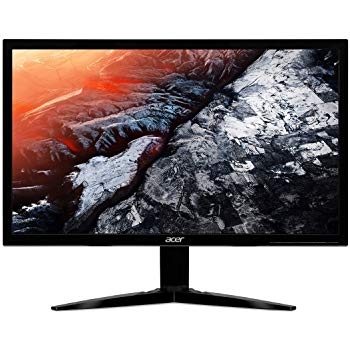
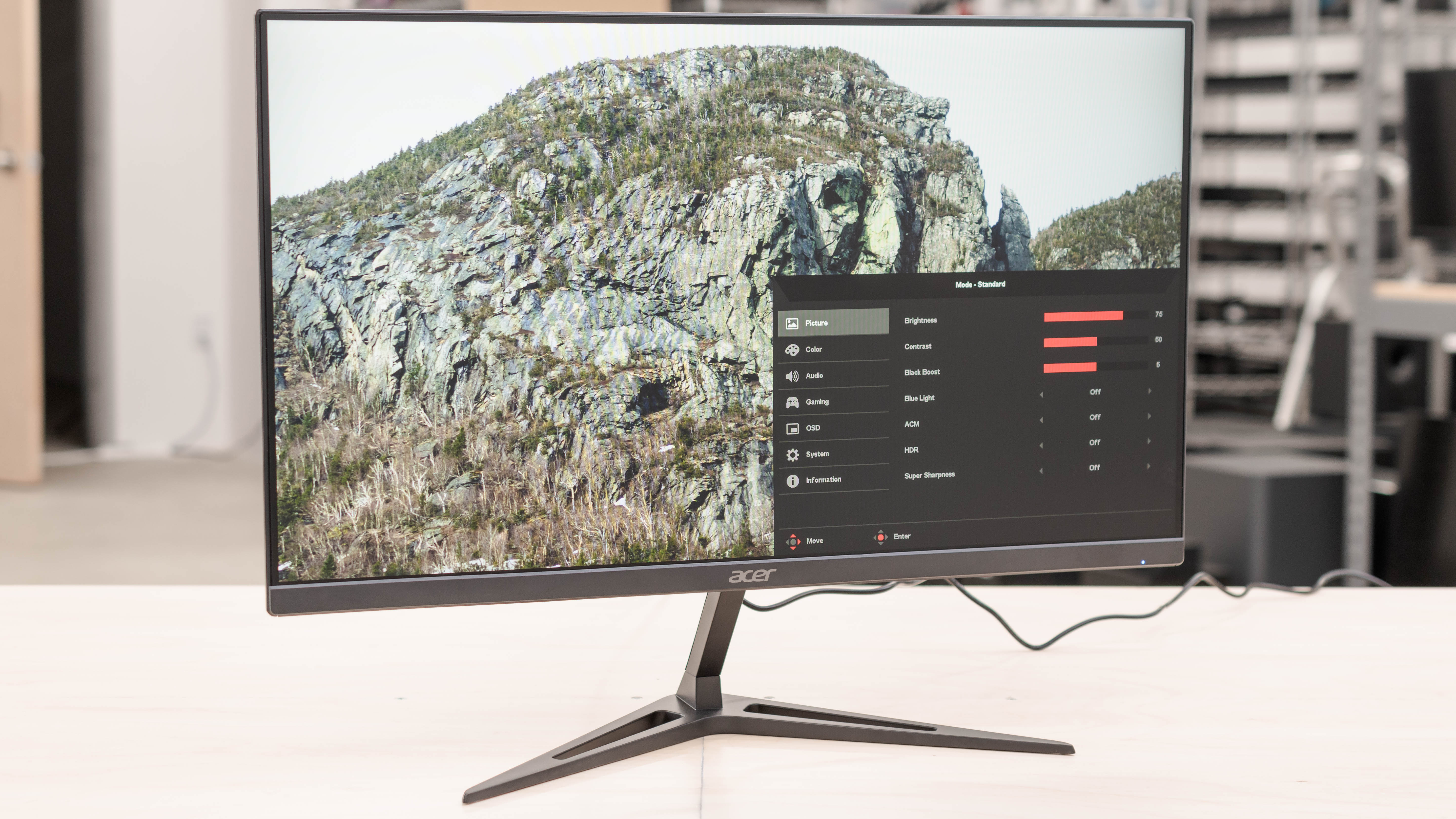
I recently purchased an Acer KG241 monitor because I wanted a refresh rate higher than 60hz. I connected the monitor via dvi cable and although the documentation says the monitor will support 120hz at 1920x1080 on dvi it will not let me set the refresh rate above 60hz. When I try the screen goes black for a few seconds then a grey box pops up that says "input not supported". When I look at the advanced display settings it shows Acer KG241 as the display, but if I look at the adapter properties for display 1 it shows up as generic pnp monitor. I've made sure all my drivers for my gpu are up to date, and windows 10 is up to date. I've tried manually installing drivers and downloading drivers from Acer, uninstalling the display in the device manager and detecting hardware changes, uninstalling the display and restarting my computer, tried multiple cables/connections, and the acer rep suggested unplugging everything from the monitor and holding the power button for 30 seconds and nothing, I mean NOTHING, is making it so I can set the refresh rate to what it's supposed to be capable of. Also Acer has the most unhelpful customer service reps I've ever encountered. Been at it for hours trying to figure this crap out and I'm at the end of my rope. Please help.