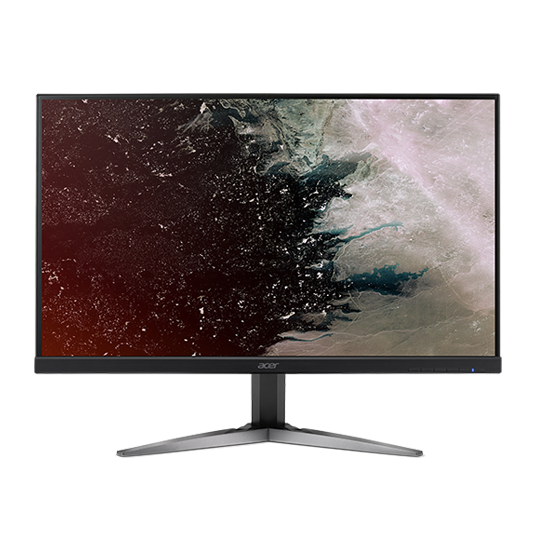
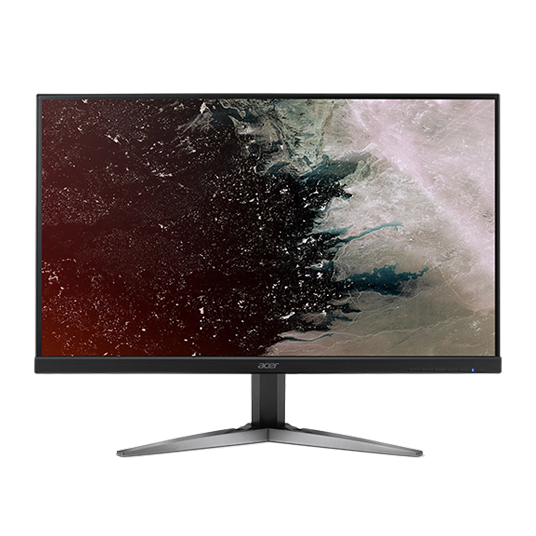
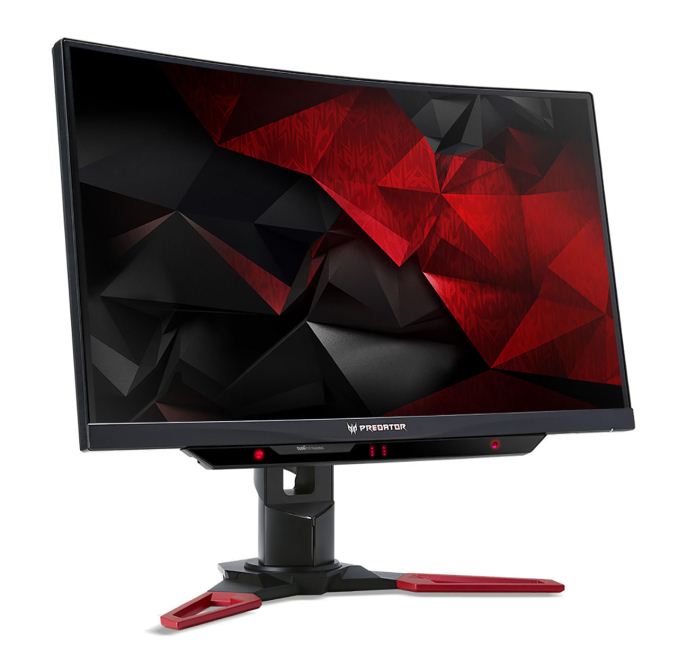
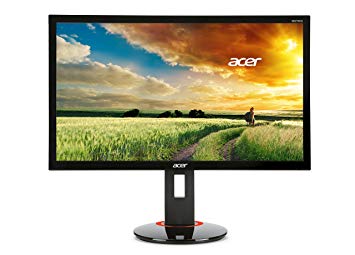
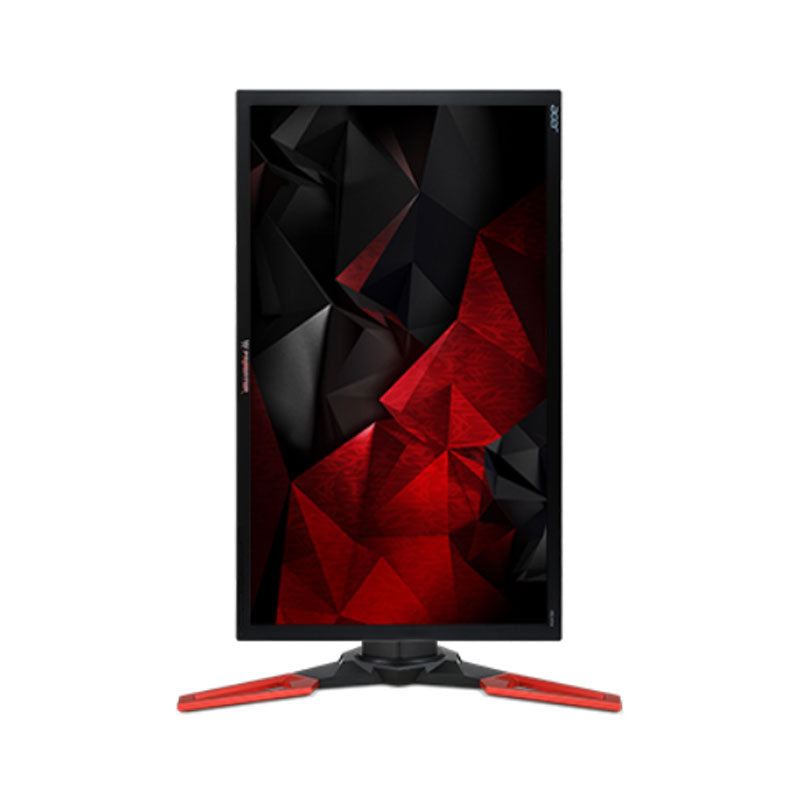
27" Acer XG270HU benchmark delle prestazioni del monitor di gioco
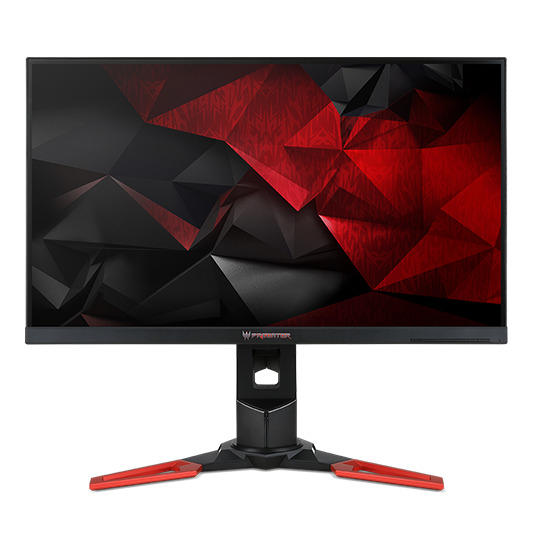
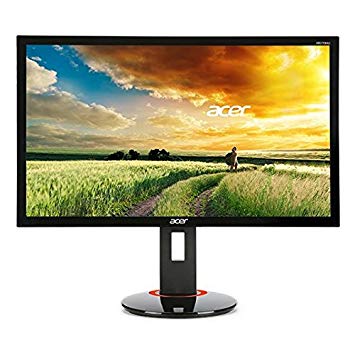
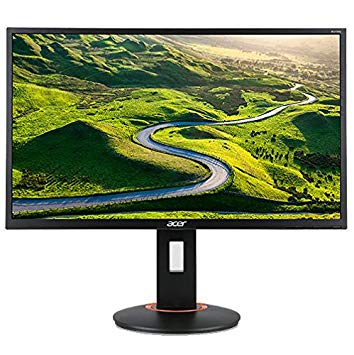
Per compensare giochi graficamente esigenti, il Acer XG270HU ha una frequenza di aggiornamento adattiva di fascia bassa molto buona di 40 Hz che può adattarsi a cadute più basse della frequenza fotogrammi. In termini di densità dei pixel, il Acer XG270HU ha un'eccellente densità di 109 pixel per pollice, risultando in testo più nitido e qualità delle immagini. Per il tasso di risposta medio, i Acer XG270HU punteggi 4.3 ms, che garantiscono una sincronizzazione efficace con l'alta frequenza di aggiornamento. Per i frame rate estremamente veloci, il Acer XG270HU ha una frequenza di aggiornamento massima di 144 Hz che consente un gameplay più fluido. Per la qualità del colore della grafica, la Acer XG270HU ha un'eccellente profondità di colore di 8 -bit, con conseguente sfumatura più uniforme e colori più precisi. Il tasso di risposta minimo di Acer XG270HU è 1 ms, che elimina gli effetti ghosting. Acer XG270HU ha la porta Display e questo è essenziale per le schede NVIDIA per funzionare con AMD FreeSync. Acer XG270HU ha un ritardo di input totale di 13.8 ms, che è eccellente tra la concorrenza. Con il supporto AMD FreeSync, questo monitor è compatibile con entrambe le schede grafiche AMD e NVIDIA. La luminosità di Acer XG270HU è inferiore rispetto ad altri monitor. Il monitor utilizza un pannello TN che risente dello spostamento del colore quando viene visualizzato da angoli orizzontali e verticali e presenta colori leggermente lavati rispetto ai pannelli IPS e VA. Il monitor non ha un attacco VESA. Il monitor ha un rapporto di contrasto insignificante di 1000 : 1. Vale la pena notare che il Acer XG270HU è un monitor relativamente vecchio.
Acer XG270HU Review. By David James 2015-08-03T19:49:20.214Z Review . Comments; Shares. ... The Verdict. 70. Read our review policy. Reviews Good quality but pricey for a TN panel. See comments.
Acer's XG270HU is a decent example of that. If you look at the G-Sync-equipped monitors, they’re all fairly expensive. In the 24-inch form factor (the smallest at present), you’ll still pay ...
ViewSonic XG2703-GS 165Hz 1440p G-Sync Monitor Review; Acer XG270HU 144Hz FreeSync Gaming Monitor Review ... The Verdict. The XG270HU delivers high refresh rate thrills and Freesync smoothness ...
Conclusion The Acer XG270HU is a fine choice if you're a gamer who wants a 27-inch gaming monitor that provides smooth action and looks good doing it. It uses a 144Hz refresh rate and a 1ms pixel ...
In the case of the XG270HU, its frame rate range is 30-144Hz, which means you can benefit from FreeSync down to 30 FPS. Aside from FreeSync, the XG270HU is a typical 27-inch gaming monitor.
OSD Tour Pressing any control key brings up a small set of icons. The e symbol represents the XG270HU’s five picture modes: User, ECO, Standard, Graphic and Movie. Standard is the default, but ...
i like to start they are WONDERFUL SCREENS how ever very slowly they have been getting this odd bleeding ( i have no other idea what too call it
i am running a GTX 1080 EVGA SC and
i am trying to figure out what to do any help would be MOST GREATFUL i am kinda not sure what to do and plus Accer warranty not sure what they would even do
heres the odd thing when i shut off the screen for a long time, had a vacation it was gone for about 8 hours but came back
any help i would be greatful
oh screens of the anything on the screens them selfs show nothing its not software is purely hardware that i know for sure
00
M
MART3R9 years ago
Can Acer XG270HU do 144hz @ 1080p?
I heard some monitors can only do the advertised refresh rate at max resolution, my question is; Can the Acer XG270HU 27" 1ms 144HZ WQHD HDMI DisplayPort Adaptive-Sync (Free Sync) Widescreen LED Backlight LCD Monitor run at its top refresh rate of 144hz even if I underclock it to 1080p?
00
P
photonboy9 years ago
Yes.
And you wouldn't "underclock" it. You simply change the resolution.
The monitor is still running at 2560x1440 anyway. It's just SCALING (on GPU or on the physical monitor depending on settings) from whatever lower resolution you choose.
You could choose to run a game at 800x600 and the monitor will still run at 144Hz. The end-stage of the monitor doesn't "care" at all. It's always running at 2560x1440 @144Hz unless you change that (and there's no good reason to).
*You should always choose the NATIVE RESOLUTION for Windows setup (and adjust DPI scaling, and browser tab scaling), then choose the resolution of games individually which will again just scale up to 2560x1440.
**As a FREESYNC monitor however, when running a GAME the monitor refresh matches whatever the GPU is outputting (up to 144Hz). So if the game is running at 100FPS that's what the monitor is running at (each single frame is sent from the GPU then drawn by the monitor).
Dropping the resolution increases the frame rate because the GPU can draw more frames if they have less detail per frame. I aim for about 100FPS on shooters with Freesync or GSYNC. It's very smooth and still in asynchronous mode. If you hit 144FPS then it locks to 144FPS VSYNC ON (or you can turn VSYNC OFF but that causes screen tearing).
00
S
SoNaut9 years ago
Acer TN 27"XG270HU vs Acer IPS 27"XB270HU
Hey all
Im just curious whether or not the G-Sync is worth the extra $300 difference or if other features on the monitor are worth it. I am getting the GTX 1080 and am just curious if its really a waste of money getting it just for g-sync.
00
P
photonboy9 years ago
Best monitor (for NVidia) IMO has:
GSYNC
IPS
27"+
2560x1440+
The Asus model is about $750USD.
Is it "worth it"?
IMO, yes. Very much so.
*I would recommend a GTX1070 if the price difference of the GTX1080 prevents the above monitor.
I'll attempt to explain GSYNC briefly below.
00
J
Johnskies10 years ago
Acer XG270HU 1440p @ 144hz vs Acer XB280HK 4K @ 60hz
Hi Everyone,
Just abit of background, the reason im comparing these 2 models is due to a friend of mine getting discounts from Acer products (otherwise i'd automatically go with the Asus ROG Swift)
I'm currently using a GTX Titan Z to power it all up.
So firstly, the Acer XG270HU (Able to purchase for around AUD$500 )
2560x1440 @ 144Hz
1ms Response Time
TN Film Panel
Freesync (Irrelevant as i have a GTX Titan)
and secondly, the Acer XB280HK (Able to purchase for around AUD$700)
3840x2160 @ 60Hz
1ms Response Time
TN FIlm Panel
Nvidia G-Sync
Here are the questions which i have,
Would the G-Sync in 4k make up for the difference in 144hz vs 60hz?
and would having a 1440p @ 144hz WITHOUT using the freesync , still be worthwhile? or should i push for the 4k monitor, due to the availability of G-Sync on it.
any advice or opinions are welcomed as i'm torn between the two
00
S
spagalicious10 years ago
Johnskies :
Really appreciate it, but yes, the difference between the XB270HU is definitely out of my price range ($350 more which is almost close enough to say double the price of XG270HU , at this point id be more likely just to double up on XG270HU for a bit more cash)
At this point , im leaning towards the XG270HU based on the fact that 4k games are pretty demanding , and i currently play on a 120hz monitor, and from what people say, its pretty bad going back to a 60hz refresh rate. Should i even worry about the un-used freesync? because i feel that the specs of the monitor are pretty damn good for the price, regardless of whether i use the freesync or not, and with the titan Z i should be able to get pretty good frames at 1440p.
The specs are good and TN panel is very good for a TN. However, it is still a TN panel. To me, I don't know if I would want to drop that kind of money without G-Sync. It is pretty awesome when you have the graphical capability to exceed 60 FPS in most games (which you do). However if the price of the XB270HU is too hard to swallow, you might want to look at IPS instead of TN.
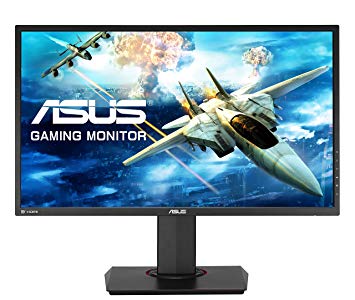
The Asus MG279Q is a great performer all-around and offers all the same specs plus ULMB. Which you can utlize since the panel does not have G-Sync (ULMB cannot be 'on' while G-Sync is enabled). Just something to consider.


































Cosa prendere in considerazione prima di acquistare una scheda grafica
Se hai intenzione di aggiornare il tuo sistema acquistando una nuova scheda grafica. Quindi ci sono alcuni fattori importanti da considerare.
Risoluzione VS Qualità: impatto sulle prestazioni del gioco
Cosa influenza le prestazioni del gioco? Chiarezza o dettagli?
Impostazioni Ultra VS di alta qualità nei giochi per PC
Ogni giocatore ha una nozione diversa sull'impostazione ideale per i giochi per PC. Ma nella maggior parte dei casi, optare per una configurazione grafica di alta qualità è la strada da percorrere.
Cosa sono i colli di bottiglia della CPU o della GPU?
Stai subendo improvvise cadute di frame? potresti avere un collo di bottiglia.
Qual è la velocità FPS accettabile per me?
Per alcuni giochi, puoi comunque goderti fantastici panorami con frame rate più bassi.
GPU Hierarchy
GPU Compare
CPU Compare
Gaming Laptops
Gaming Monitors
Gaming Headsets
Discussione e commenti
Condividi i tuoi commenti
soo i have 3 of these screens ( link below )
https://www.newegg.com/black-red-acer-xg-series-xg270hu-27/p/N82E16824009769?Description=acer monitor&cm_re=acer_monitor-
-24-009-769-
-Product
i like to start they are WONDERFUL SCREENS how ever very slowly they have been getting this odd bleeding ( i have no other idea what too call it
i am running a GTX 1080 EVGA SC and
i am trying to figure out what to do any help would be MOST GREATFUL i am kinda not sure what to do and plus Accer warranty not sure what they would even do
heres the odd thing when i shut off the screen for a long time, had a vacation it was gone for about 8 hours but came back
any help i would be greatful
oh screens of the anything on the screens them selfs show nothing its not software is purely hardware that i know for sure
I heard some monitors can only do the advertised refresh rate at max resolution, my question is; Can the Acer XG270HU 27" 1ms 144HZ WQHD HDMI DisplayPort Adaptive-Sync (Free Sync) Widescreen LED Backlight LCD Monitor run at its top refresh rate of 144hz even if I underclock it to 1080p?
Yes.
And you wouldn't "underclock" it. You simply change the resolution.
The monitor is still running at 2560x1440 anyway. It's just SCALING (on GPU or on the physical monitor depending on settings) from whatever lower resolution you choose.
You could choose to run a game at 800x600 and the monitor will still run at 144Hz. The end-stage of the monitor doesn't "care" at all. It's always running at 2560x1440 @144Hz unless you change that (and there's no good reason to).
*You should always choose the NATIVE RESOLUTION for Windows setup (and adjust DPI scaling, and browser tab scaling), then choose the resolution of games individually which will again just scale up to 2560x1440.
**As a FREESYNC monitor however, when running a GAME the monitor refresh matches whatever the GPU is outputting (up to 144Hz). So if the game is running at 100FPS that's what the monitor is running at (each single frame is sent from the GPU then drawn by the monitor).
Dropping the resolution increases the frame rate because the GPU can draw more frames if they have less detail per frame. I aim for about 100FPS on shooters with Freesync or GSYNC. It's very smooth and still in asynchronous mode. If you hit 144FPS then it locks to 144FPS VSYNC ON (or you can turn VSYNC OFF but that causes screen tearing).
Hey all
Im just curious whether or not the G-Sync is worth the extra $300 difference or if other features on the monitor are worth it. I am getting the GTX 1080 and am just curious if its really a waste of money getting it just for g-sync.
Best monitor (for NVidia) IMO has:
GSYNC
IPS
27"+
2560x1440+
The Asus model is about $750USD.
Is it "worth it"?
IMO, yes. Very much so.
*I would recommend a GTX1070 if the price difference of the GTX1080 prevents the above monitor.
I'll attempt to explain GSYNC briefly below.
Hi Everyone,
Just abit of background, the reason im comparing these 2 models is due to a friend of mine getting discounts from Acer products (otherwise i'd automatically go with the Asus ROG Swift)
I'm currently using a GTX Titan Z to power it all up.
So firstly, the Acer XG270HU (Able to purchase for around AUD$500 )
2560x1440 @ 144Hz
1ms Response Time
TN Film Panel
Freesync (Irrelevant as i have a GTX Titan)
and secondly, the Acer XB280HK (Able to purchase for around AUD$700)
3840x2160 @ 60Hz
1ms Response Time
TN FIlm Panel
Nvidia G-Sync
Here are the questions which i have,
Would the G-Sync in 4k make up for the difference in 144hz vs 60hz?
and would having a 1440p @ 144hz WITHOUT using the freesync , still be worthwhile? or should i push for the 4k monitor, due to the availability of G-Sync on it.
any advice or opinions are welcomed as i'm torn between the two
Johnskies :
Really appreciate it, but yes, the difference between the XB270HU is definitely out of my price range ($350 more which is almost close enough to say double the price of XG270HU , at this point id be more likely just to double up on XG270HU for a bit more cash)
At this point , im leaning towards the XG270HU based on the fact that 4k games are pretty demanding , and i currently play on a 120hz monitor, and from what people say, its pretty bad going back to a 60hz refresh rate. Should i even worry about the un-used freesync? because i feel that the specs of the monitor are pretty damn good for the price, regardless of whether i use the freesync or not, and with the titan Z i should be able to get pretty good frames at 1440p.
The specs are good and TN panel is very good for a TN. However, it is still a TN panel. To me, I don't know if I would want to drop that kind of money without G-Sync. It is pretty awesome when you have the graphical capability to exceed 60 FPS in most games (which you do). However if the price of the XB270HU is too hard to swallow, you might want to look at IPS instead of TN.
The Asus MG279Q is a great performer all-around and offers all the same specs plus ULMB. Which you can utlize since the panel does not have G-Sync (ULMB cannot be 'on' while G-Sync is enabled). Just something to consider.
http://www.newegg.com/Product/Product.aspx?Item=N82E16824236466&cm_re=1440p_ips_144hz-_-24-236-466-_-Product